
Users (general) | Data | Companies | Departments | Log
The user card is divided into three pages. On the Data page, the user’s general information is displayed.
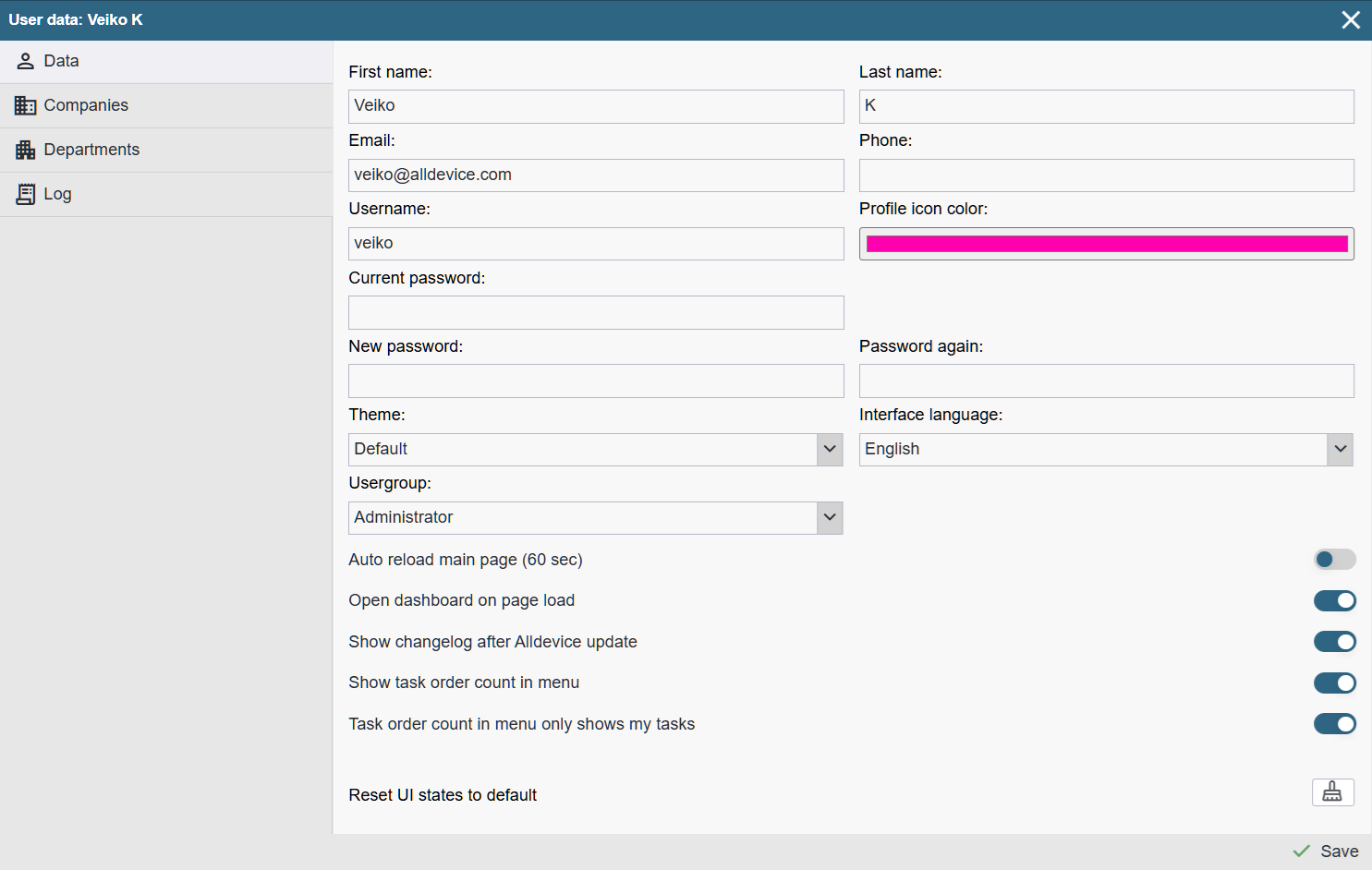
First name: The user’s first name (displayed on the task).
Last name: The user’s last name (displayed on the task).
E-mail: The user’s email address (used for sending work orders and reminders). If multi‑factor authentication (MFA) is enabled, an email address is required, as the code will be sent there.
If you want to assign multiple email addresses to a user, separate them with a comma.
Phone: The user’s phone number (informational).
Username: The user name used to log in to the application.
Profile icon color: The color of the icon displayed in the calendar (becomes active after the user is saved).
Password: The user’s password used to log in to the application. The password must meet the following requirements:
- At least 12 characters long
- Must contain both uppercase and lowercase letters
- Must contain numbers
- Must contain special characters
Confirm password: Repeat the password when adding or changing it.
Theme: Application design (Default, Light, Dark)
Interface language: The language in which the Alldevice application is displayed to the user. The user can change it from their profile if desired.
User group: The group of rights (privileges) applied to the user.
Auto reload main page (60 sec): Enables automatic refresh of the homepage every minute. We recommend activating this only if it is truly necessary.
Show dashboard as opening page: Opens the dashboard upon login. Requires that the corresponding privilege is active in the user’s rights group. The dashboard can also be accessed through the Reports menu.
Show changelog after Alldevice update: Shows an information window upon login if the application has been updated. The window is displayed only once after each update.
Reset UI states to default: Restores all table views to their original (default) state. During application use, the user can change the order of columns and adjust the number of visible columns. If needed, all changes can be reverted to their default state.