
Can I copy regular tasks (schedules) from another device, and if so, how?
Yes, it is possible. To be precise, not by copying from one to another, but by importing from one to the other.
You can import either job order templates separately (if you want to create the scheduling yourself) or regular job order schedulings together with job order templates.
Note: If you wish to copy/import both the scheduling and templates from another device, there is no need to copy the task sheet templates separately, copying the scheduling will automatically include all associated task sheet templates.
How to do it?
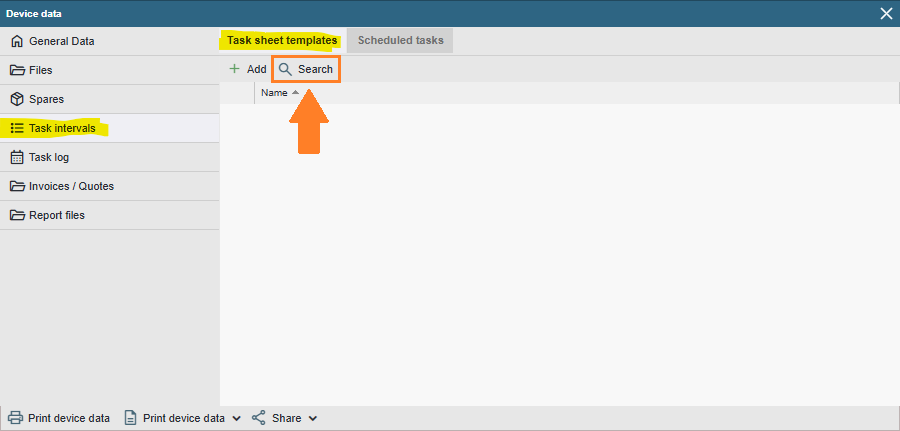
To import worksheet templates, open the device card you want to import worksheet templates to. Then navigate to the “Job Fields” page and the “Worksheet Templates” sub-page (selected by default) and click on the “Search” button.
Then use the search or find the worksheet template name(s) of the device(s) you want from the list and press the “Import selected” button.
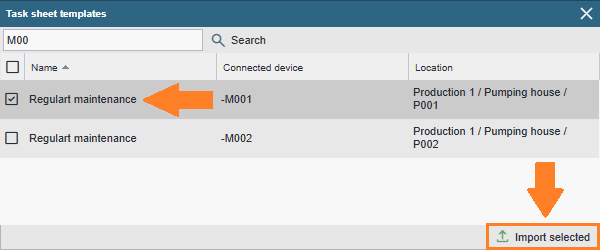
Done! You can now use the imported worksheet templates to schedule regular tasks.
NB! Importing a worksheet template does not take any work scheduling!!!!
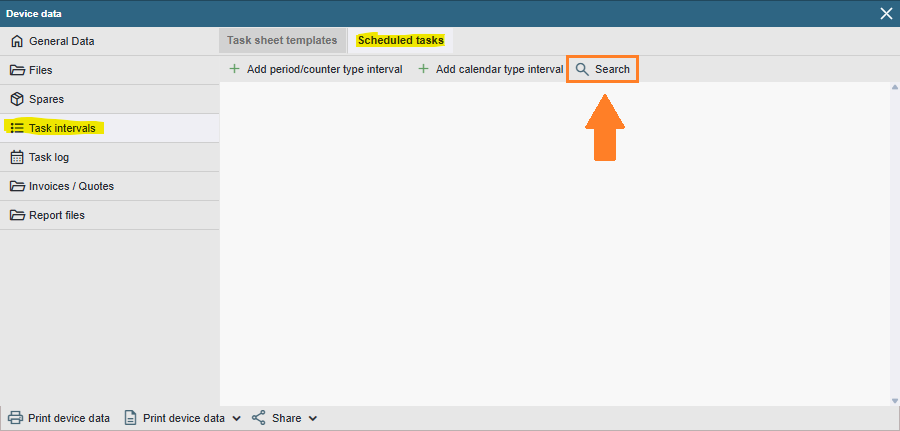
To import the scheduling of tasks, open the device card you want to import the worksheet templates to. Then navigate to the “Job Fields” page and the “Job Scheduling” sub-page and click on the “Search” button.
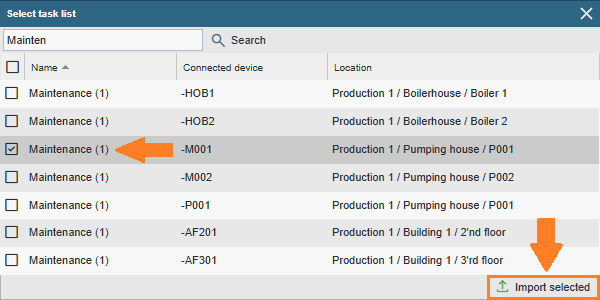
Then use the search or find the worksheet template name(s) of the device(s) you want from the list and press the “Import selected” button …
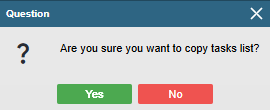
… confirm that you are confident in your actions …
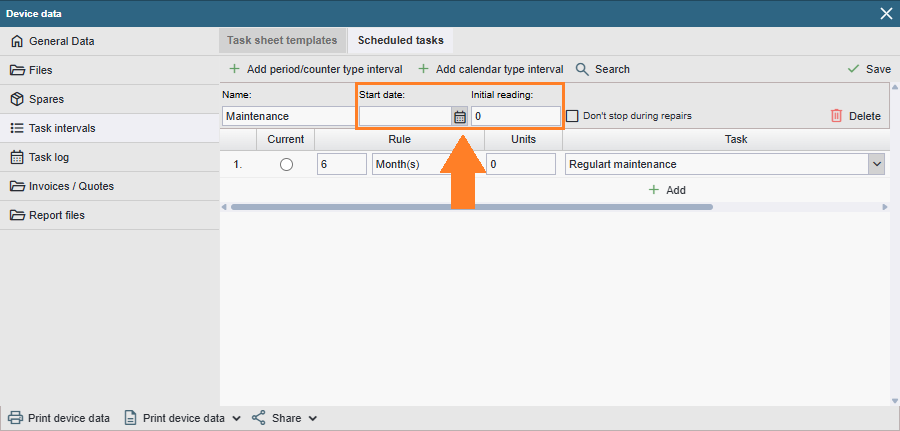
… and it is now necessary to set the start date and/or the counter reading for the new field from which the maintenance field will be counted.
Done!