
Adding and editing the status of work orders is done through the menu Settings > Work orders > Work orders.
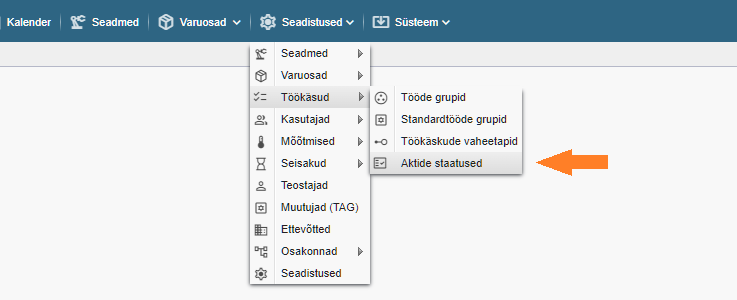
Note! If you don’t see the indicated option, you don’t have the rights (privileges) to manage the status of the work files you have completed.
You can access the statuses of work in progress in the Reports > Work in progress table. Each file can be assigned a status, which allows for better management and filtering by status.
For example: Warranty work, Invoice issued, etc…
To add a status, click on the “+ Add” button in the table of statuses of completed works.
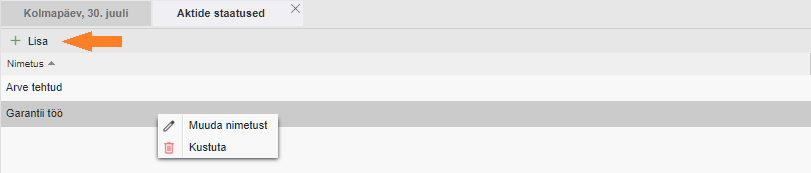
Type the name you want in the box that appears and click the “Save” button.
Repeat the action until all the desired status names have been created. If necessary, you can modify or add to the list later.
To change or delete a status, right-click on the desired line and select the desired option from the context menu (double-clicking also works).