
Users (general) | Data | Companies | Departments | Log
Companies TAB Defines which companies the user can log in to, where they act as a performer, and from which companies they receive emails.
In most cases, only one company is available for selection. Clients using a multi‑license may have two or more companies listed.
Note: Multi‑license support in its current form is ending, and new clients can no longer purchase a multi‑license.
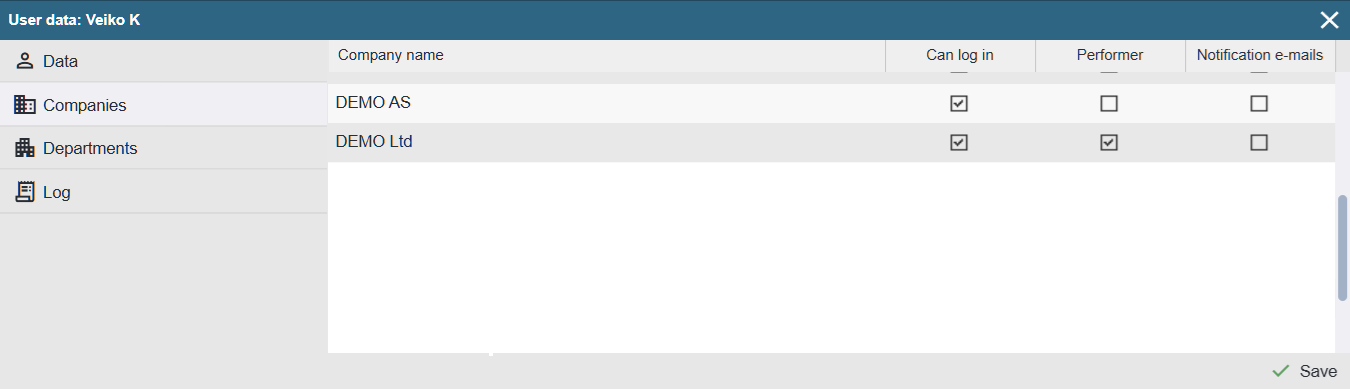
Company name: The company to which the settings of this row apply.
Can log in: Indicates that the user is active for the selected company and can access the application. If this option is unchecked for all companies, the user cannot log in to the application.
After saving the general data, you are immediately redirected to the Companies page to configure the necessary options.
Performer: Defines whether the user can be assigned as a performer for work orders. This setting applies even if the user does not have the right to log in to the application.
Notification E-mails: Allows defining whether the user receives automatic notifications from the Alldevice application (reports, work orders).