Updated the Login page design and improved the speed of the app’s initial download.
On the device card window, the minimum window size limits have been reduced to allow the card to fit on the screen in lower resolution devices.
Added Error Type to the list of columns on the Device Card Log page. By default, the column is hidden. If desired, the user has to activate the column himself.
The ‘Work Order Type’ filter in the ‘Work Orders’ table now allows for multiple selection.
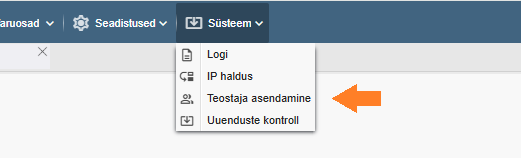
The possibility of mass switching of operators has been added to the system menu. If an employee or maintenance partner who is listed as the performer on the regular work order template changes, they can now be replaced by a new performer with just a few clicks anywhere. The selected performer will be replaced on all work order templates and on open work orders (performers are not changed on closed work orders). To use this feature, the user must have the privilege “Can perform mass substitution of performers” activated in the System privileges group.
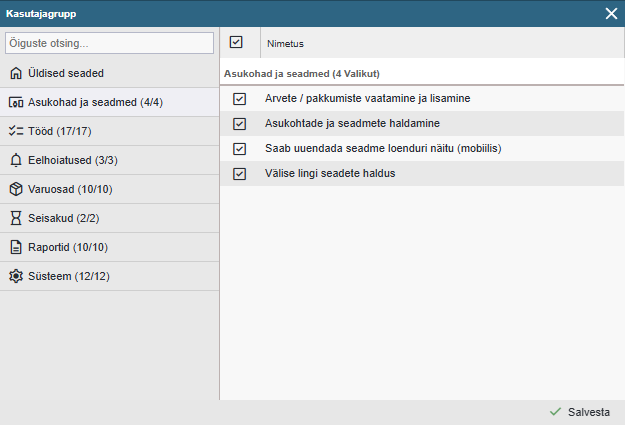
Uuendatud kasutajagrupi privileegide akna paigutust (Seadistused > Kasutajad > Grupid > … ). Lisasime ka võimalus otsida soovitud privileege kirjelduse fragmendi järgi.
Updated departments overview window. No longer does the entire device tree load instantly in open mode, which was slow and inconvenient to use for very complex device trees. It now resembles the logic of the device tree. There is also a right-click menu option to open and close the entire selected location and sub-locations.
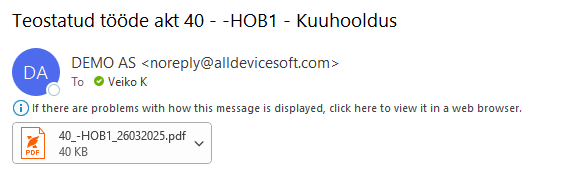
The subject of the e-mail of the work file has been made automatic and contains more information (“Work file 1234 – Equipment name – Work order title”).
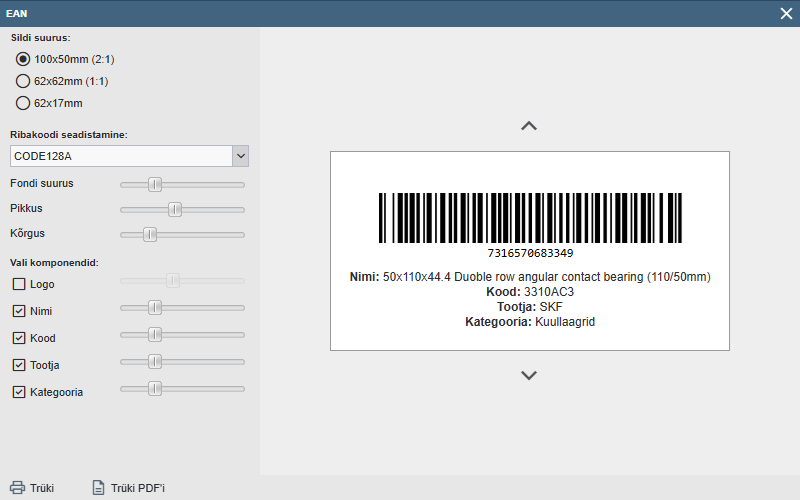
Spare parts card barcode label creation window made more dynamic.
Updated from /tasks/createAPI query. It is now also possible to create a job command for a location (job with yellow background) via API.
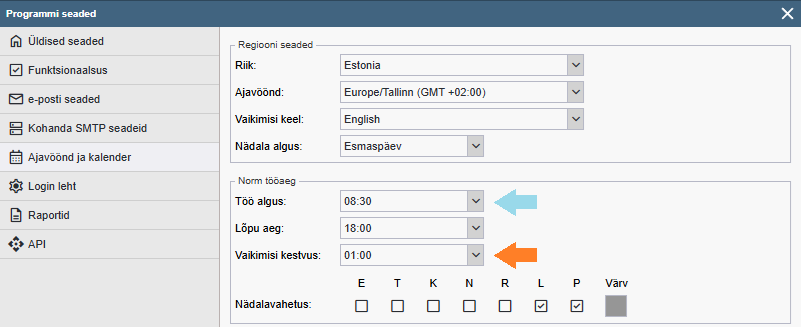
Settings > Settings > Time zone and Calendar >… added a new parameter “Default duration” to the page “Default duration” which automatically sets the duration of the job (default 1h) when creating a new job template or entering a new job. As of this version, the default start time for the job to be created is set to the standard start time in the default settings window (until now, the default was always 00:00).
The change only concerns new work orders and work order templates. No changes will be made to existing ones.
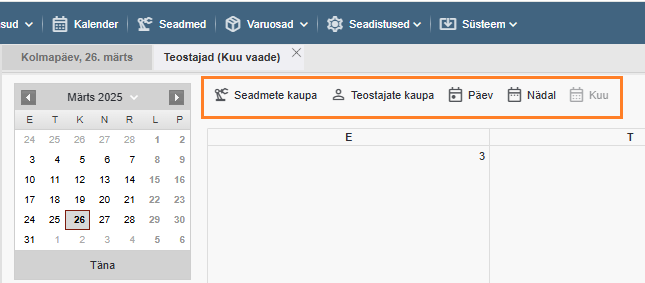
Changed the logic for opening calendars. As of this version, the drop-down menu next to the calendar button has been removed. The first time the calendar button is pressed, a horizontal calendar view based on devices is opened by default (as before) but the next time the calendar view is opened, the last opened calendar view is already opened. You can navigate between the different calendar views within the calendar.
Added the possibility to merge separate views into a single window. Updated calendar settings window and added the possibility to configure calendars by view.
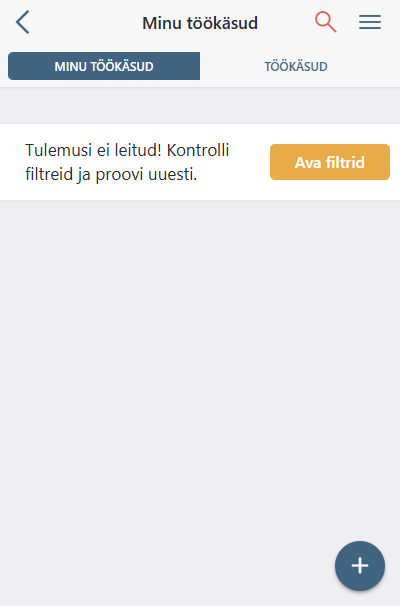
In the mobile version, an additional alert has been added to the worklist view if no results are found and a filter is active.
Vigade parandused
Reports > Work orders in the spreadsheet Planned vs. actual hours highlighting does not work correctly -. Fixed
If a calendar-based interval is selected for the weekend and “Avoid weekends” is active in the settings, the task will still be pushed to the nearest working day. – Fixed
When I click on “My tasks” on my mobile, all tasks are displayed. Everything works correctly for my colleague. Fixed
In the mobile version, the background colour of the warning is not displayed in the measurements (there is an arrow). – Fixed
Extra costs can no longer be written off in a work order. – Fixed
If I add a comment to a task and click on “Start task” the comment disappears. – Fixed
If I add an action to the task and stretch the window to a larger size, the input field stays the same. – Fixed
If I add a new device and don’t specify a category, the global custom fields are not visible immediately. – Fixed
Kui olen Alldevice rakendusse sisse logitud ja avan kõrval aknas välise töökäsu lingi ja vahetan seal keelt, muutub keel ka rakenduses – Parandatud
Teostatud töö lisamisel, kui kasutada vaikimisi väärtuseid, jääb vale lõpu kellaaeg (00:00) – Parandatud