
To add and manage measurement categories, select “Settings > Measurements > Categories” from the top menu bar.
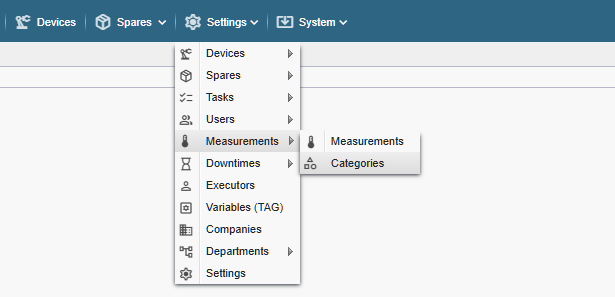
Note! If you do not see the referenced menu links in the Alldevice CMMS application, you either lack the necessary permission to manage measurement categories or the measurement functionality has not been activated.
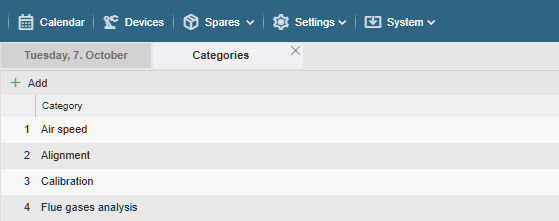
To add a category, click the “+ Add” button and enter the desired name.
To edit a category, double-click the desired row or right-click it and select “Edit” from the context menu. After making changes, click the “Save” button or press the “Enter” key on your keyboard.
To delete a category, right-click the desired row and select “Delete” from the context menu.
A category name that is already in use cannot be deleted. When attempting to delete it, a corresponding notification will be displayed.
Category names are later used in filters to make it easier to find the desired measurement.