
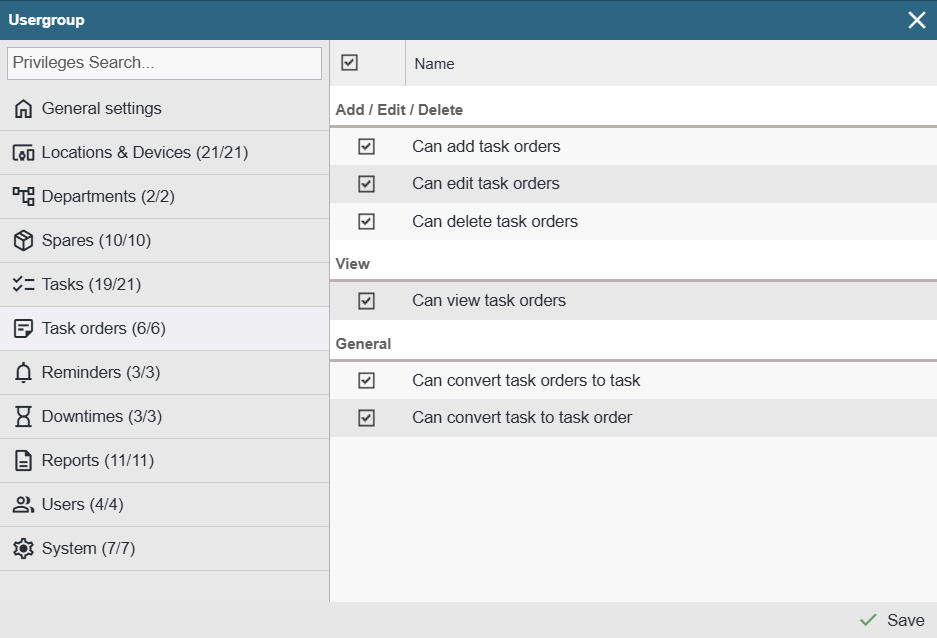
Note! The Task Order privileges tab is visible only when the Task Order functionality is active.
Add / Edit / Delete
Can add task orders – When this privilege is granted, an option ‘Add task order’ becomes available in the device tree context menu, in the ‘Tasks’ button context menu, and under the ‘+ Add’ button on the device card log tab.
Can edit task orders – Allows opening orders in the ‘Task orders’ view and making changes to them.
Can delete task orders – Allows deleting entries in the ‘Task Orders’ view. The option ‘Delete’ becomes available in the entry’s context menu.
View
Can view task orders – When this privilege is granted, a ‘Work Order Requests’ button appears on the top toolbar.
General
Can convert task orders to task – When this privilege is granted, the option ‘Schedule task’ becomes available in the Task orders list view context menu and on the Task order card.
Can convert task to task order – When this privilege is granted, the user can convert an unscheduled planned or extraordinary tasks back into a tasks order. In the tasks table, the option ‘Convert to task order’ becomes available in the context menu.