View
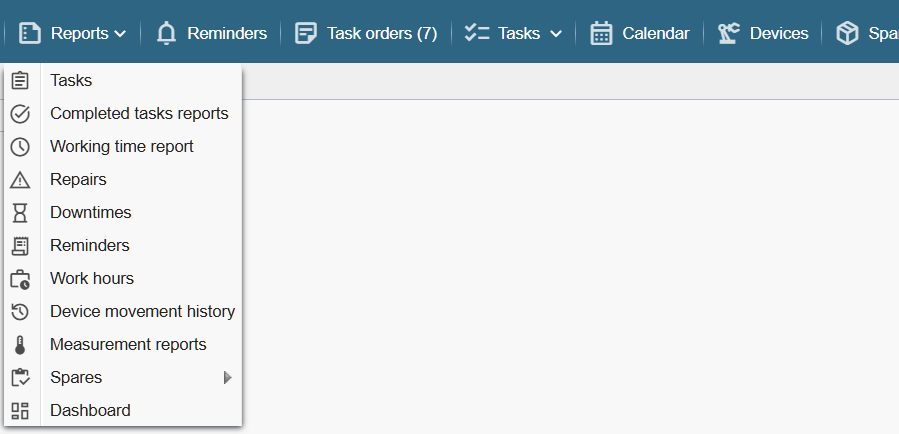
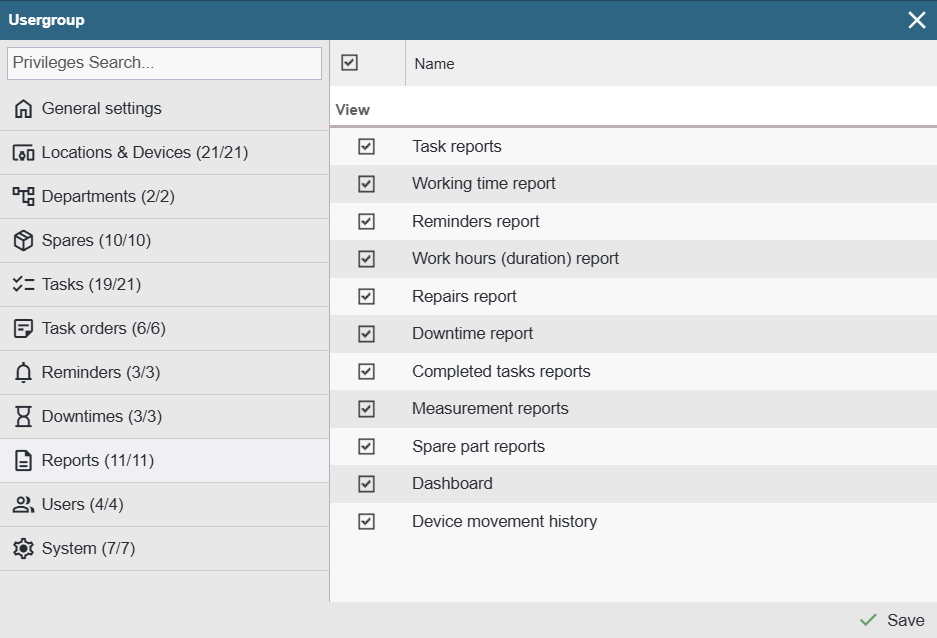
Task Reports – Provides access to the ‘Reports > Tasks’ menu.
Completed Task Reports – Provides access to the ‘Reports > Completed task reports’ menu.
Working time report – Provides access to the ‘Reports > Working time report’ menu.
The Work Time report is visible only if either ‘Clock‑based task duration timing’ or ‘Real‑time task duration recording’ is enabled in the Settings functionality page.
Repairs – Provides access to the ‘Reports > Failures’ menu.
Downtimes – Provides access to the ‘Reports > Downtimes’ menu.
The Downtime report is visible only if the ‘Downtime Register’ feature is enabled on the Settings functionality page.
Reminders – Provides access to the ‘Reports > Reminders’ menu.
Work Hours (duration) report – Provides access to the ‘Reports > Work Hours’ menu.
Device movement history – Provides access to the ‘Reports > Device movement history’ menu.
Measurements – Provides access to the ‘Reports > Measurement reports’ menu.
The Measurements report is visible only if the ‘Measurements’ registration feature is enabled on the Settings functionality page.
Spare part reports – Provides access to the ‘Reports > Spares’ menu.
Spare Parts reports are visible only if the ‘Spare Parts Module’ feature is enabled on the Settings functionality page.
Dashboard – Provides access to the ‘Reports > Dashboard’ menu.