
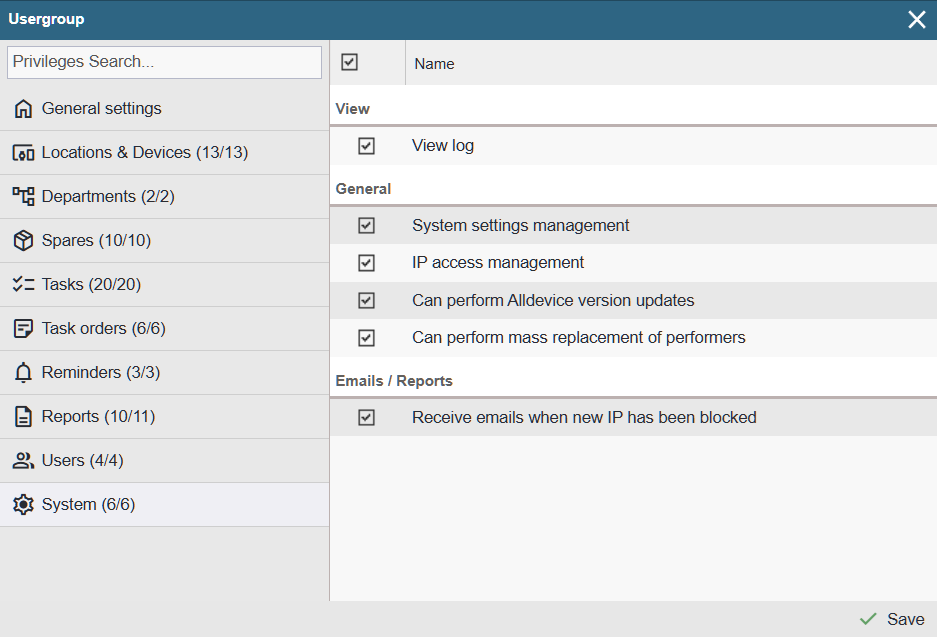
View
View log – Allows you to view log entries of the Alldevice application. If the privilege is granted, the menu System > Log becomes visible.
General
System settings management – When the privilege is granted, the following options become visible in the settings menu: Settings > Companies, Settings > Settings.
IP access management – Allows removing blocked IP addresses and adding friendly or allowed IP addresses. When the privilege is activated, the menu System > IP Management becomes visible.
Can perform Alldevice version updates – When the privilege is granted and a new update is available, a green ‘Update’ button appears in the lower‑right corner. The menu System > Check for Updates also becomes visible.
Mass replacement of performers – When the privilege is granted, the user can replace the executor on all open work orders and on work order templates. The menu System > Replace performer becomes visible for this purpose.
Emails / Reports
Receive emails when new IP has been blocked – When the privilege is activated, the user is notified whenever a new IP address is added to the block list.