
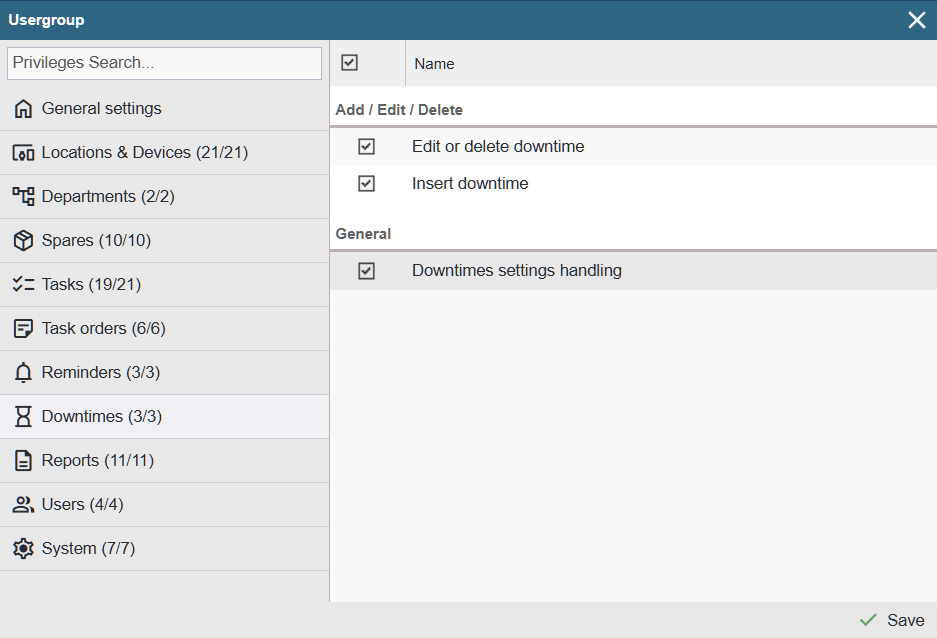
Note: The downtime privileges tab is visible only when the downtime registry functionality is active.
Add / Edit / Delete
Insert downtime: Allows the user to record (add) downtimes. If the user has the required privilege, they can:
- In the device tree, in the device’s context menu, the option ‘Insert downtime’.
- On the device card’s ‘Downtimes’ page, the visible ‘+ Add’ button.
- On the task card, on the work confirmation page, the visible ‘Insert downtime’ button.
Edit or Delete downtime – Having this privilege allows the user to edit or delete entries on the device card’s ‘Downtimes’ TAB.
General
Downtime settings handling – With this privilege, the menu Settings > Downtimes > Categories becomes visible, allowing the user to add, modify, or delete downtime categories.