
The search function located in the top toolbar allows you to find specific keywords within work orders.
The search can be used to find both open and closed work orders based on the following fields:
- Device name
- Device location
- Task number
- Task title (subject)
- Description (the detailed description entered when creating the task)
- Action (a task checklist item)
- General comment (entered when completing the task)
- Activity comment (entered when completing the task)
- Comment for next time (entered when completing the task)
The search treats the entire entered text as a single phrase rather than searching for each word separately. For example, searching for “filter replacement” will find tasks containing that exact text fragment. Tasks containing only the word “filter” or “replacement” will not be included in the search results.
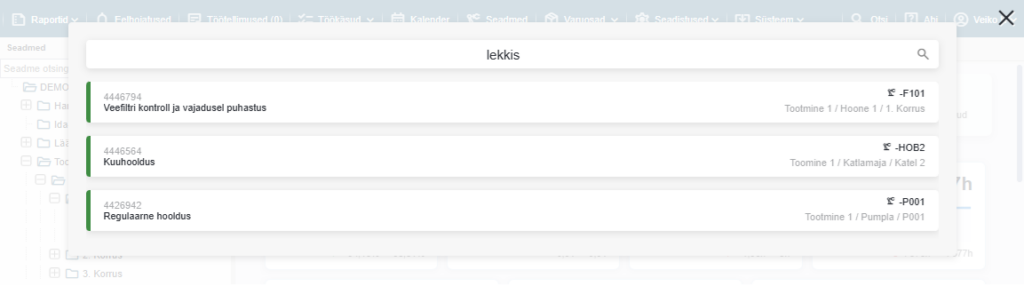
Click “Search” in the top toolbar. Enter the desired keyword or text fragment in the window that opens. Then click the desired match in the list of results.
Note: To find devices, use the search function located in the header of the device tree.